
SALES & BILLING
Complete a New Sale
Use the fast counter workflow to receive payment, deduct stock and update the customer ledger in one safe transaction.
Before you start
- Confirm products and opening stock exist.
- Select a customer for credit sales. Walk-in sales cannot carry customer debt.
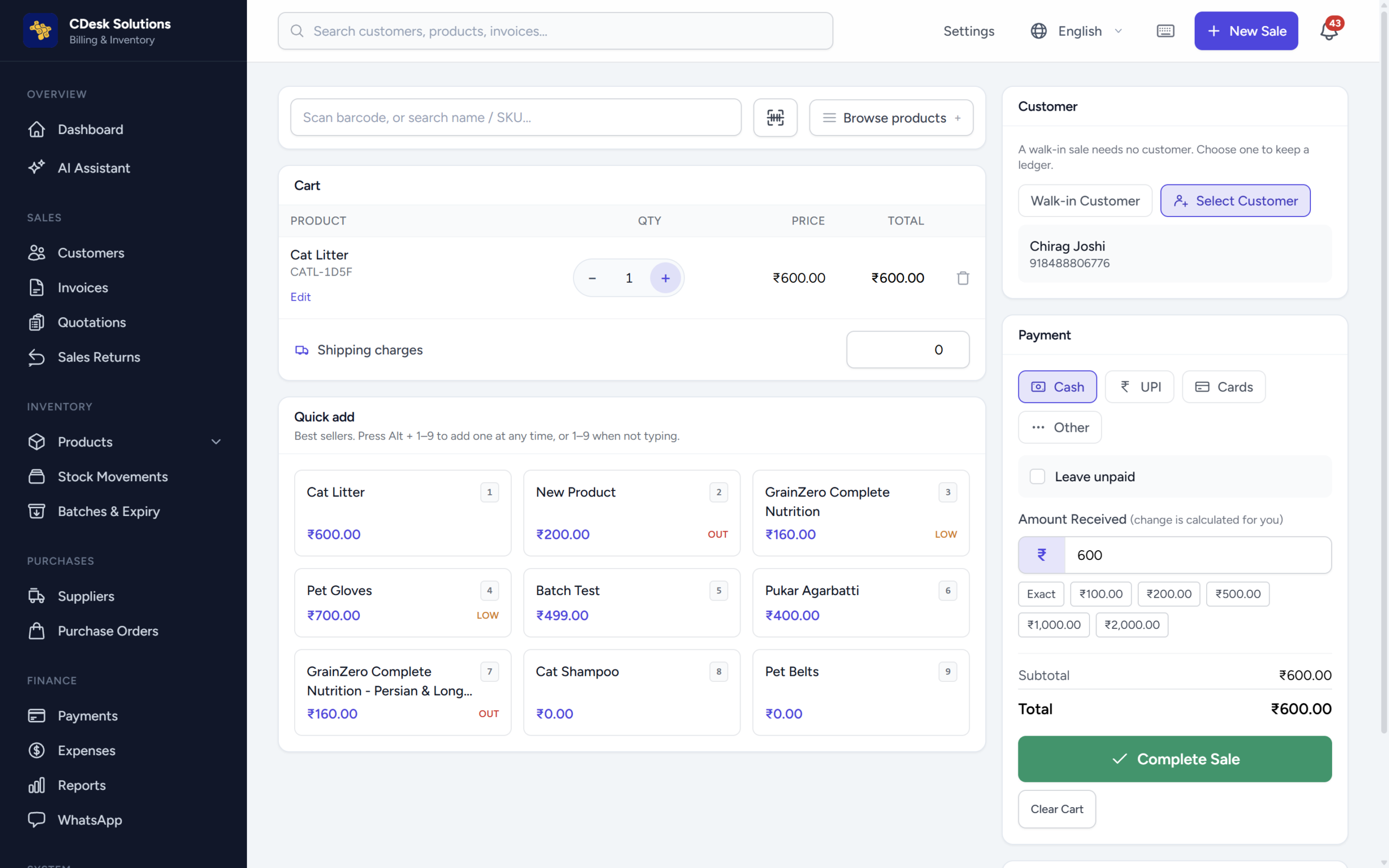
Click-by-click guide
Choose New Sale from the header or Sales area.
Keep Walk-in customer for an immediate anonymous sale, or use Select Customer. A selected customer is required if any amount remains unpaid.
Search, browse, scan a barcode/SKU or use the camera where available. Change quantity, price, discount or tax only when needed.
Confirm subtotal, discounts, tax, shipping and total. In tax-inclusive mode, tax is already inside item prices.
Select Cash, UPI, Cards or Other. Credit means unpaid balance; it is not a payment method. For cash, enter amount received to calculate change.
Click Complete Sale or press F8. If stock is short, CDesk warns you; confirm only when the business intentionally allows negative stock.
Print the invoice, print the 80mm receipt, download PDF, or manually send the invoice by WhatsApp.
Important
Completion is atomic: invoice, payment, stock deduction and customer ledger either all succeed or all roll back. Walk-in sales create no ledger entry.
Final check
- Refresh the invoice list and confirm status and payment state.
- Check related stock, payment and ledger screens.
- Keep the document number and exact error text if support is needed.
